Free online pre check-in for short-term rentals
Check-in starts
before they ring the bell.
Guests complete everything from their phone, days before arriving: documents, photos, your questions, the tourist tax. You check it and approve it from the booking — on arrival there is only a set of keys left to hand over.
“Can I see your passports? And the tourist tax — cash or card?” Ten minutes in the hallway, after a long trip.
Collecting documents, answering the same questions and taking payments at the door is the slowest part of every arrival — for you, and for guests who just want to drop their bags.
Four steps, like an online checkout
One link, no app to install. Guests always see where they are and how much is left.
Documents and details
One card per person. Scan the ID and the fields fill themselves in.
Your questions
Arrival time, services, preferences: you write them once.
Summary
Guests review everything before confirming, and fix it with a tap.
Payment
The tourist tax, only when it is actually due. Then a thank-you with your own content.
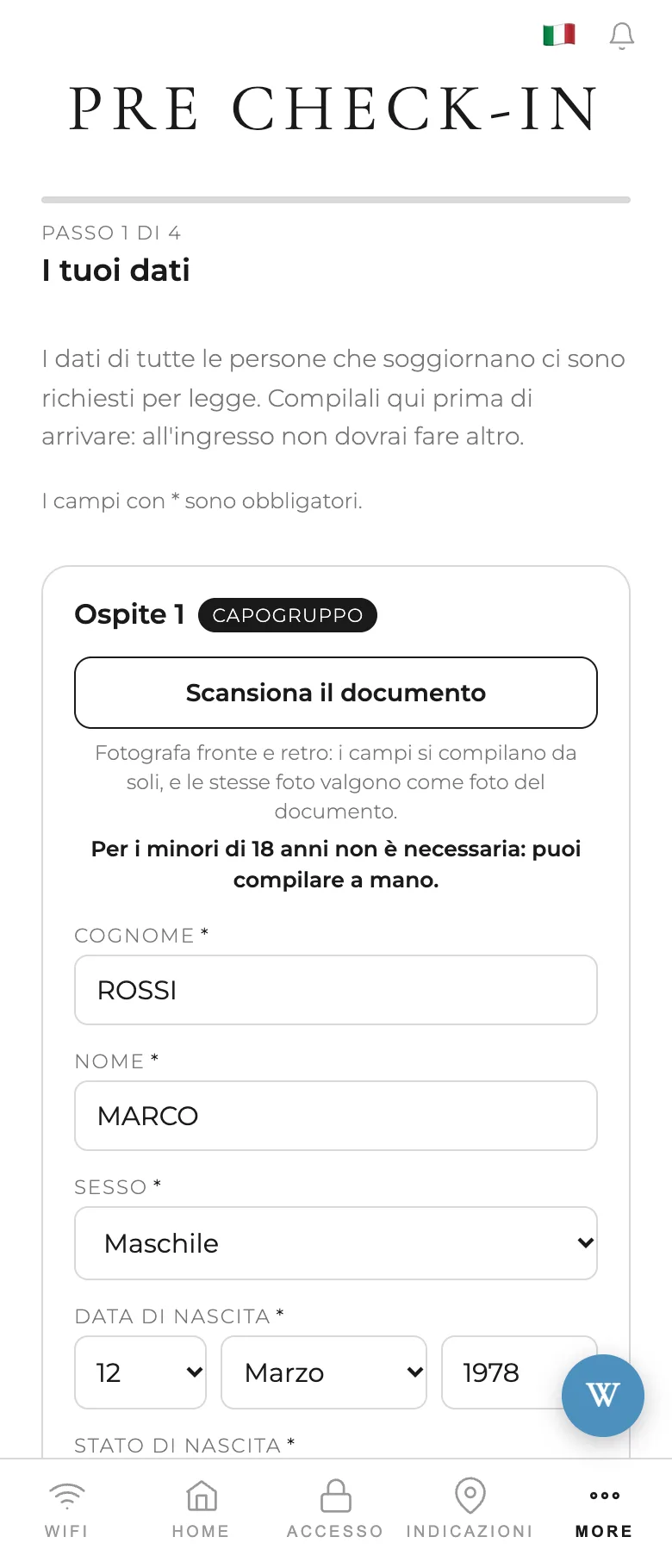
Step 1: fields filled in from the document.
The ID reads itself.
Guests photograph front and back, or upload a picture from their gallery. Welcoo reads the strip with the <<< symbols and fills in name, date of birth, document and nationality, checking the verification digits: anything that doesn’t add up stays empty, never wrong.
The right questions, before arrival.
Write your questions in your own language: Welcoo translates them for every guest. One or more answers, required or optional.
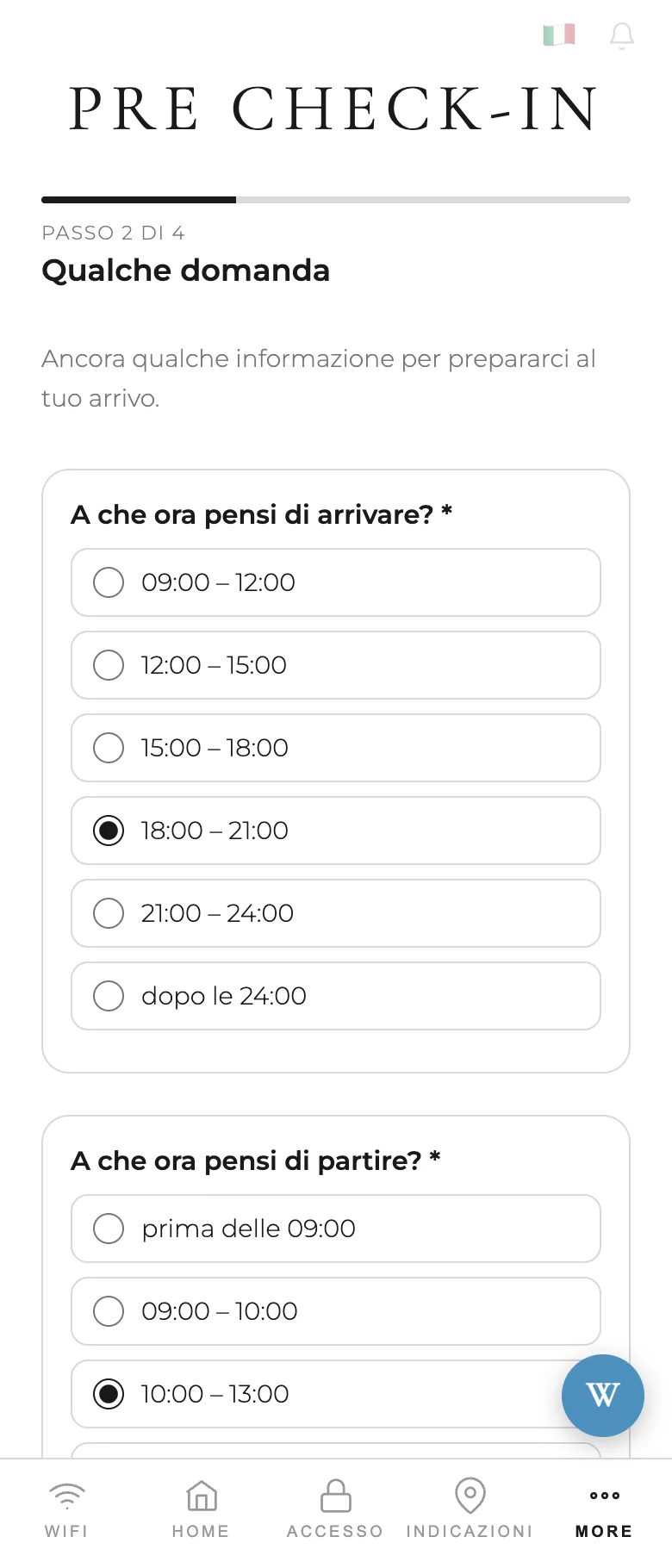
Step 2: your questions.
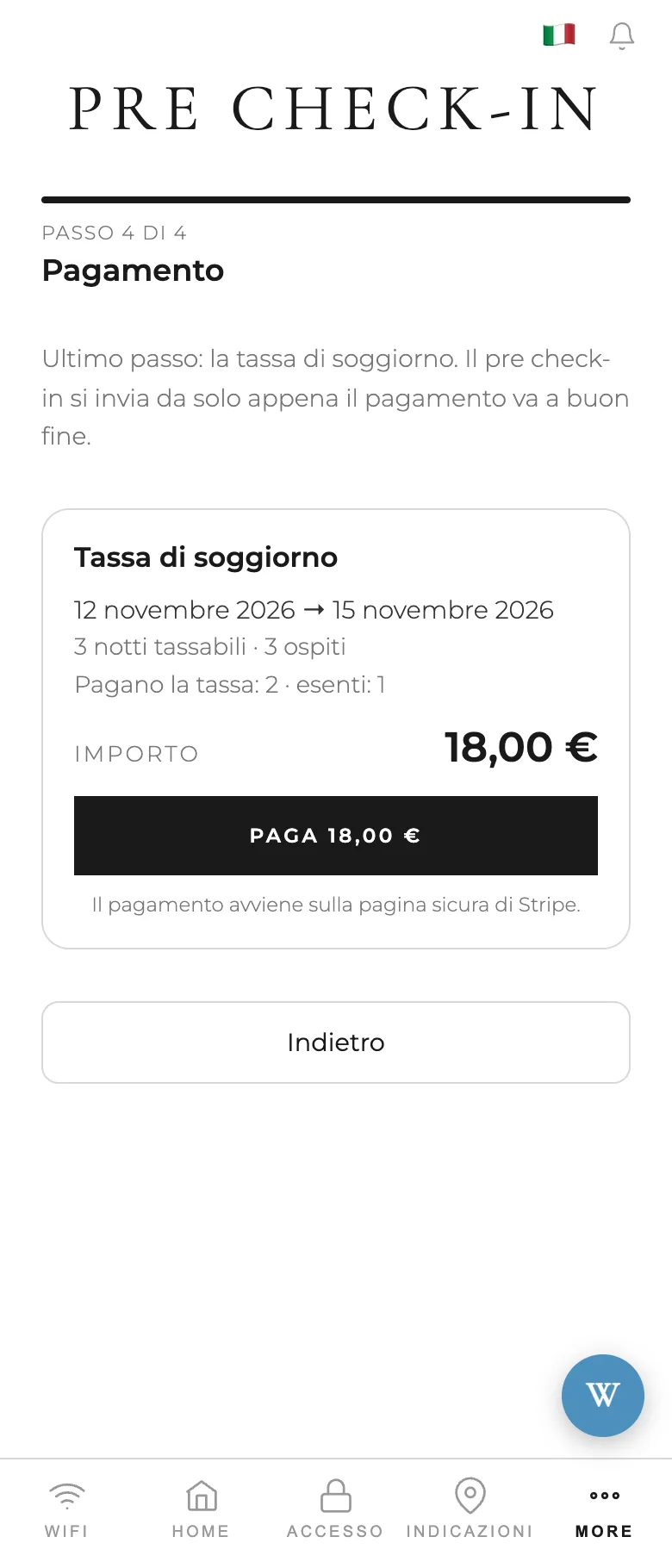
Step 4: paying the tax.
The tourist tax, already paid.
If you collect the tax online, the last step is the payment: the amount is worked out from dates of birth, night by night, and only when it is actually due. The pre-checkin confirms itself once the payment goes through.
You approve it from the booking.
When a guest confirms, you get an email and a phone notification. Open the booking: details, photos, answers and payment are all there. Approve it, or send it back with a note that reaches the guest as a message, in their language.
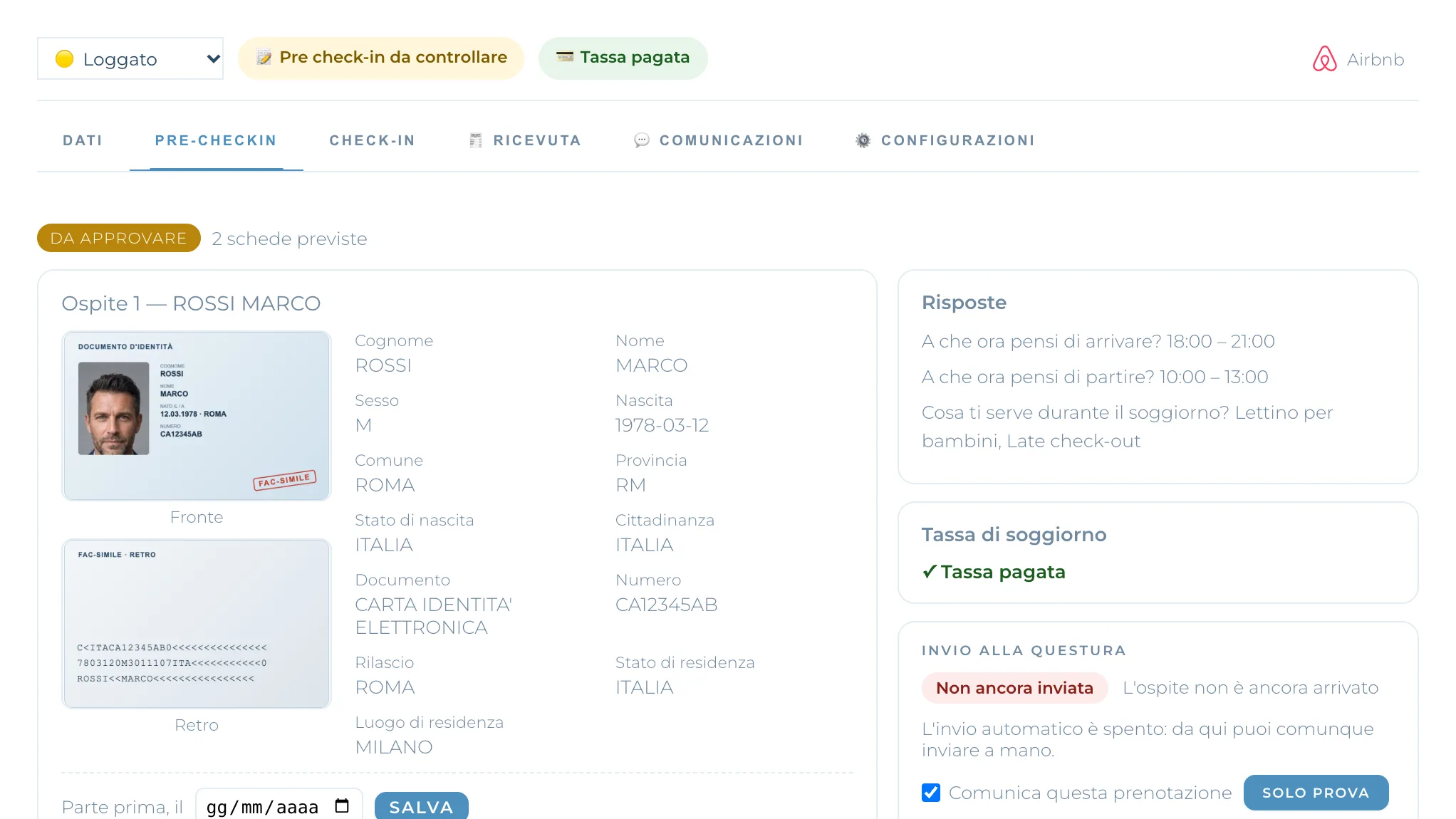
In your panel: the Pre-checkin tab on every booking.
On arrival, just the face.
With biometric verification, the ID photographed at home becomes the reference: on arrival the guest shows their face, and Welcoo compares it with the photo and checks it is a live person.
What changes for you
The arrival becomes a hello and a set of keys.
No documents at the door
Details and photos arrive before the guest does, already checked by you.
Questions answered in advance
You know times and preferences before the stay, not by phone on the day.
Tax already collected
No cash, no change, no reminders.
Frequently asked questions
Do guests need to install an app?
No. They get a link and open the pre-checkin in their phone browser, in their own language.
Which documents can be read?
ID cards and passports with a machine-readable strip, from any country. If reading fails, the guest fills in the fields by hand and the photos still count.
What about children?
Guests under 18 don’t need document photos, just their details. Scanning is optional and the photo is not kept.
How long are document photos kept?
They are deleted automatically 30 days after check-in. Reading the document doesn’t store anything: it only reads the text.
Can I ask different things depending on the channel?
Yes. Each question applies to every booking, or only to the channels you choose.
Three steps, a few minutes
Turn on Pre-checkin from your advanced features.
Write your questions and the closing message on the Pre-checkin page, in the editor.
Send the link with the booking confirmation. Each pre-checkin appears on its booking, ready to approve.