Free biometric guest verification
Whoever walks in
is whoever booked.
On arrival the guest shows their face on their own phone. Welcoo compares it with the ID photo, checks that a real person is in front of the camera, and only then shows them how to get in. Without you having to be there.
Self check-in is convenient — until you wonder who is actually inside your home.
An ID sent by email tells you who booked, not who opens the door. Checking in person means being there for every arrival, at any hour.
How the arrival works
One minute, on the guest’s phone, in front of the door.
Scan the QR at the door
The code at the entrance opens the check: it happens on site, at the moment of arrival.
The ID
Photographed on arrival, or already there from the pre-checkin done at home.
The face, live
The guest follows the prompts in the oval: turn the head left, right, then back to the centre.
In they go
Once every person is verified, the arrival instructions and the door code appear.
Five checks, one after the other
Every adult guest goes through all of them: if one fails, nobody gets in automatically.
The ID is readable
A sharp photo, no glare, with a recognisable face: a frame that isn’t is not accepted.
The face matches
A face signature is taken from the ID and from the selfie, and the two must be close enough. The comparison runs on the guest’s phone.
It is a live person
The head has to turn left, right and back to the centre: a photo or a screen in front of the camera can’t do that.
One face, one person
The same face can’t count for two guests on the same booking.
If that’s not enough, you decide
After three failed attempts a remote check starts: you look at the photos and approve or reject from your panel.
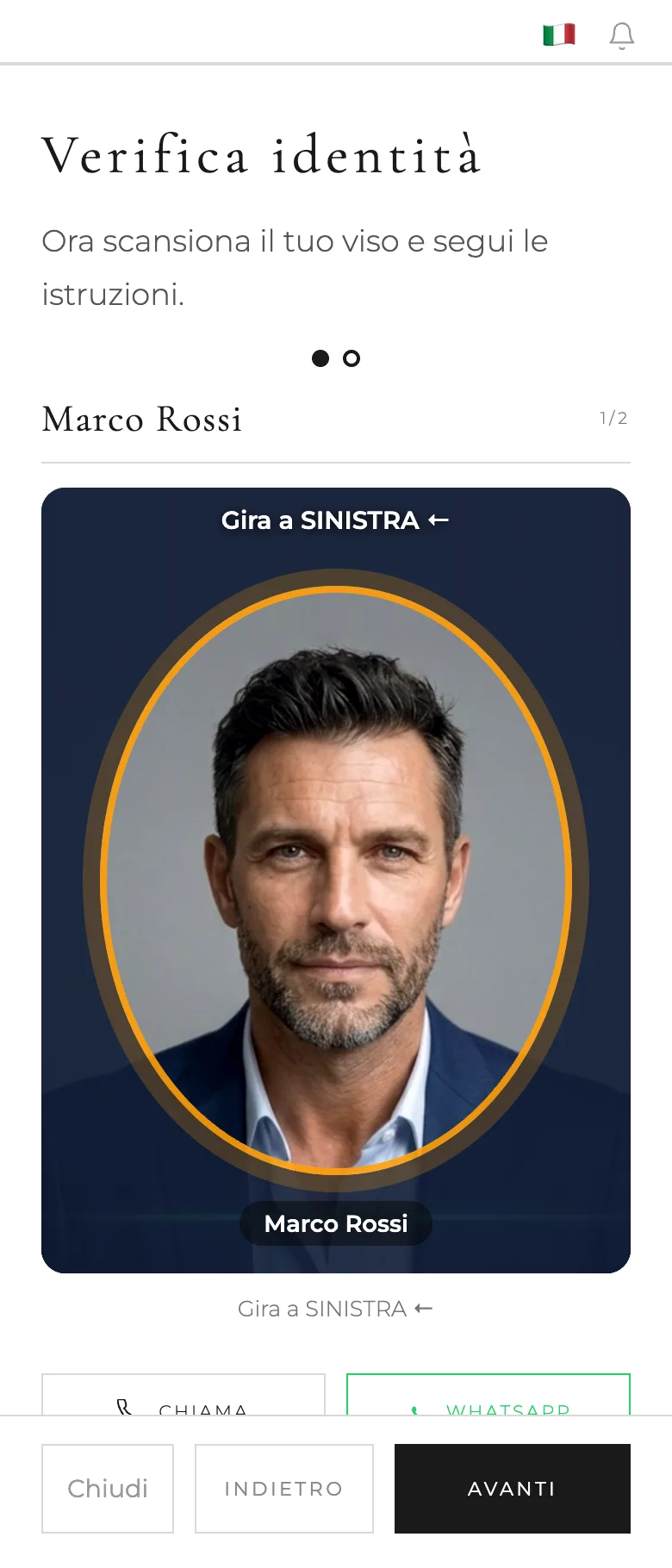
The liveness check: turn your head to the left.
An oval, one sentence, a face that shows the move.
The camera is only visible inside the oval, with the name of the person being checked. One sentence at the top says what to do, and a sketched face shows the move to copy. The border turns green when it’s right.
Verified, and in they go.
When everyone is verified, the guest sees the arrival instructions and their door code, valid for the dates of the stay. The verification photos reach you even on a weak mobile signal.
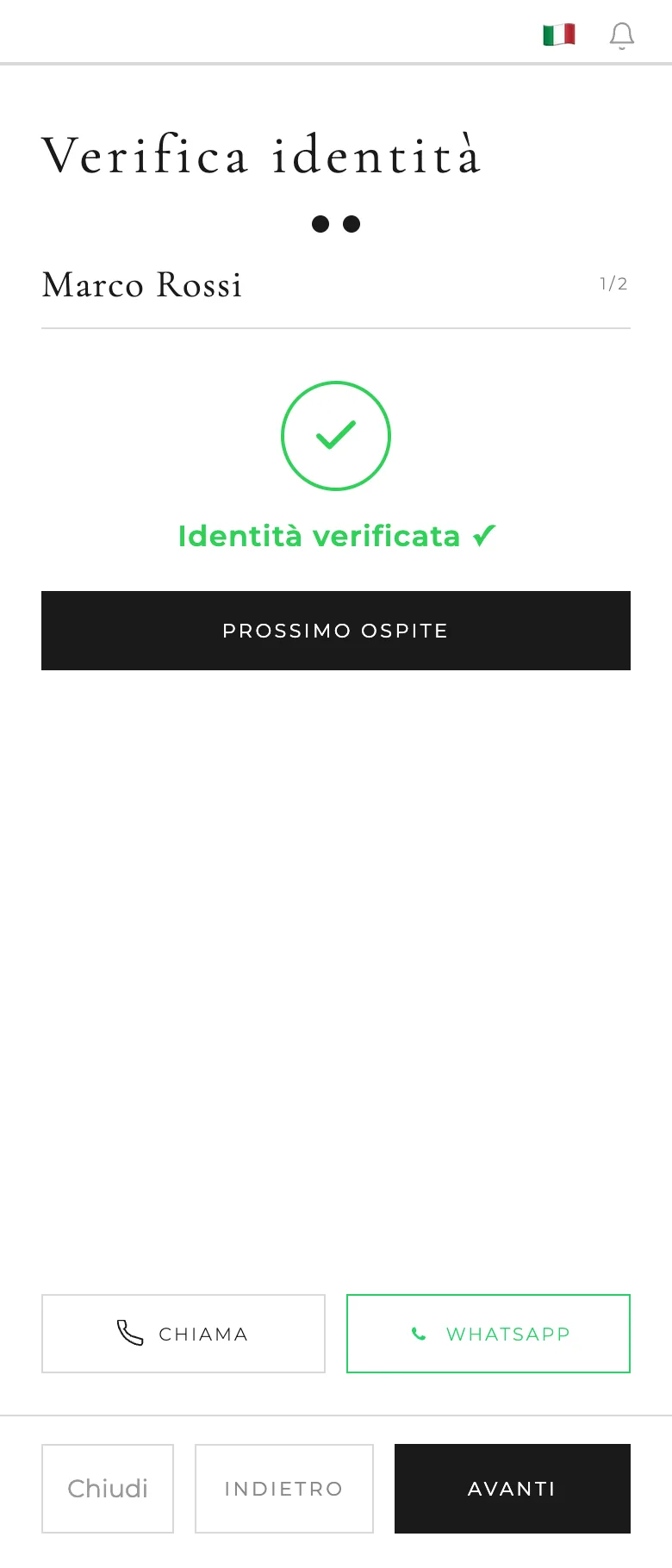
Identity verified: the face matches the ID.
When it matters, you have the final say.
Poor light, an old ID, a new beard: if the automatic check fails after three attempts, you get an alert. You look at the ID photo and the selfies, and approve or reject with a message the guest receives in their language.
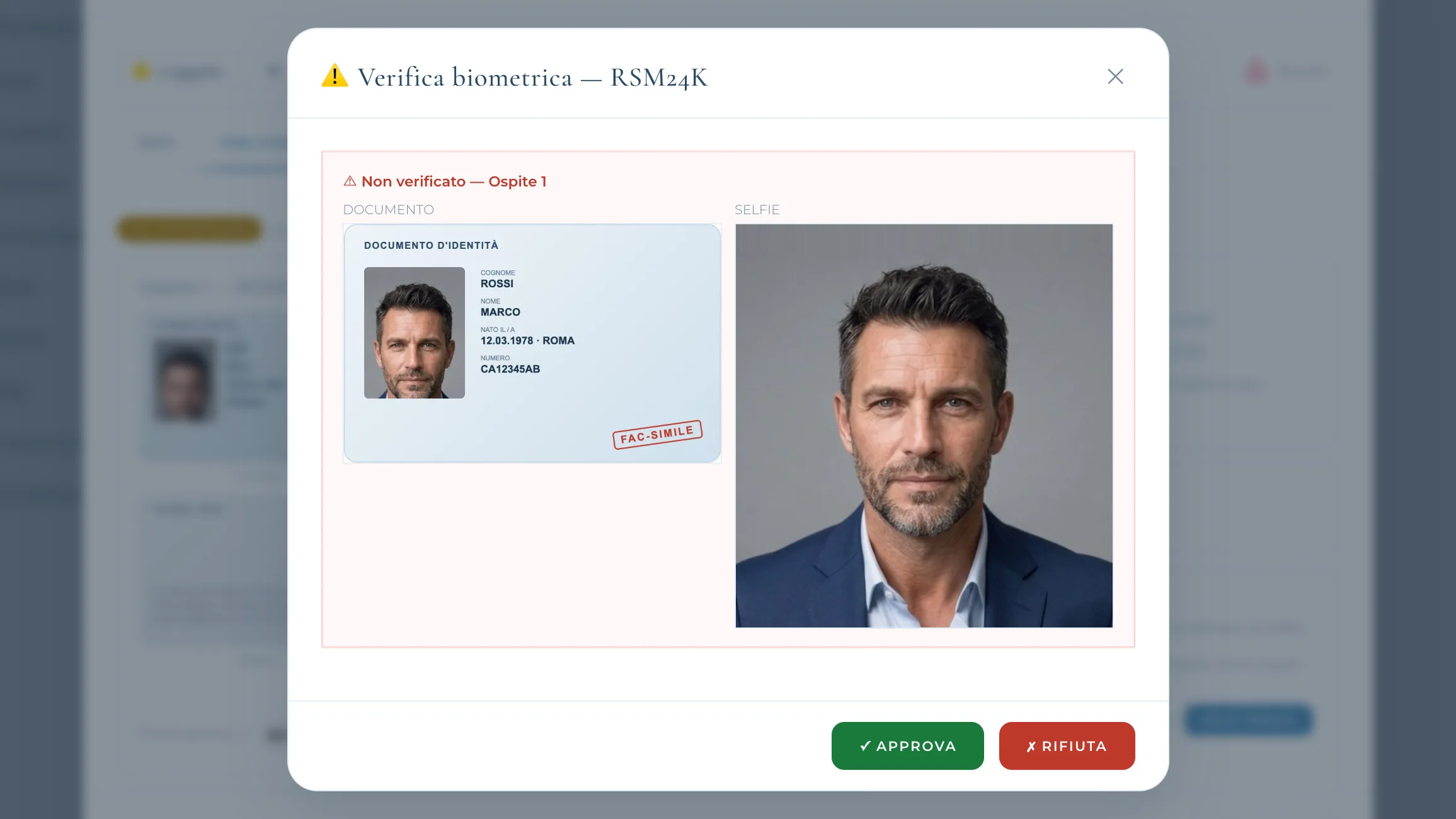
In your panel: the remote check, ID and selfies side by side.
The ID, from home.
With the pre-checkin the guest photographs their ID days in advance, and on arrival only the face is left: one minute at the door.
Privacy first
Biometric data: used for as long as it’s needed, and then gone.
Photos deleted the next day
Arrival verification photos are deleted from storage the following day, automatically.
The face signature is never stored
It is calculated for the comparison and thrown away. It doesn’t stay in any archive.
Each property, its own space
Every home’s photos are kept apart, and only whoever manages it can see them.
Frequently asked questions
Do guests need to install an app?
No. They scan the QR code at the door, or open the link you sent them, and the check starts in their phone browser.
What if recognition fails?
The guest gets several attempts. After the third failed one a remote check starts: you get an alert, look at the photos and decide.
Who has to be verified?
Every adult guest. Children don’t.
Where do the photos go?
To the property’s storage, kept apart per home, and they are deleted automatically the next day. The face signature is never saved.
Does it work in poor light or with an old ID?
The check is tuned for low light too. When it really isn’t enough, you have the final say with the remote check.
Three steps, a few minutes
Turn on biometric verification from your advanced features.
Print the QR code and put it at the entrance.
On arrival guests verify themselves; you only get an alert when needed.